

CommProbe is a desktop tool for testing communication links. Open a TCP server, fire UDP packets, talk to a Bluetooth device, watch a CAN bus, or query a lab instrument over GPIB, all from one window with one timestamped log.
Background
From socket tester to protocol probe
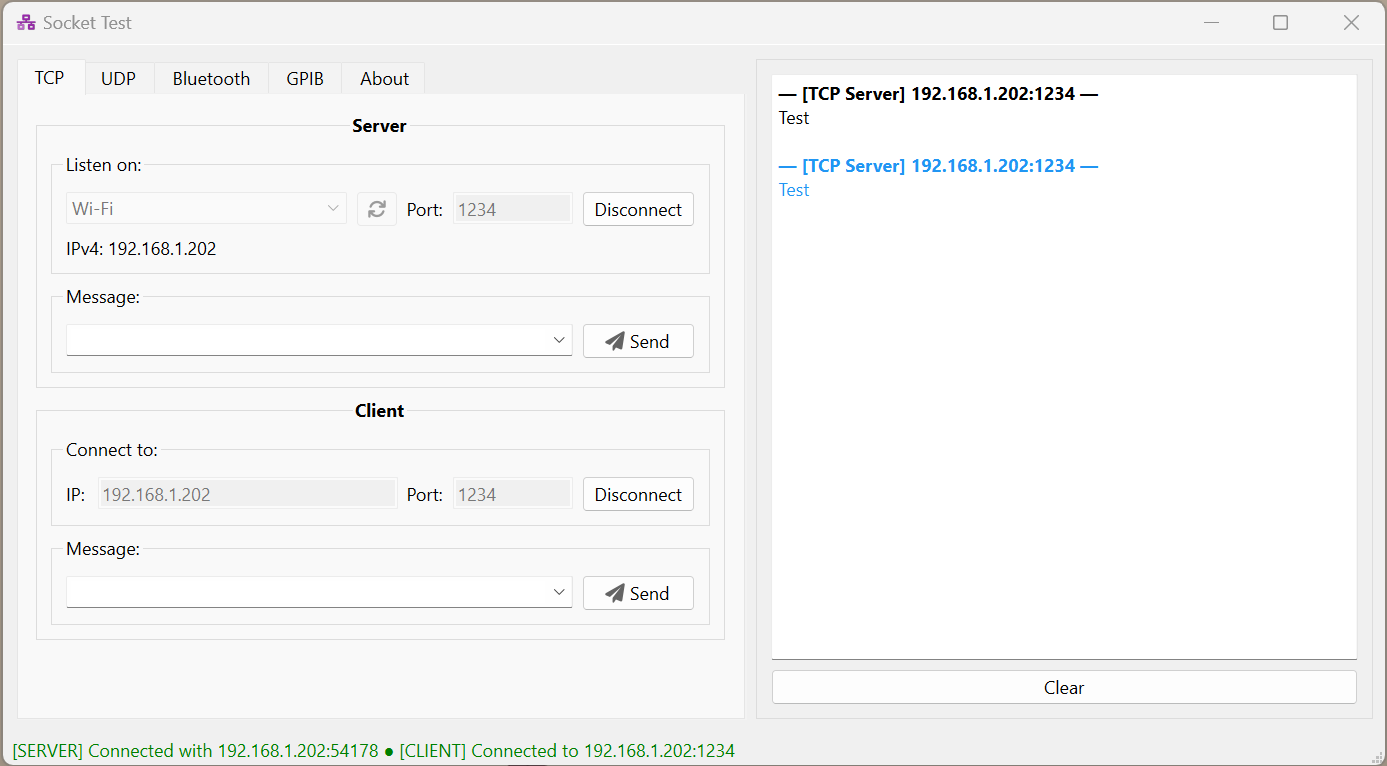
CommProbe started in 2017 as Socket Test, a small PyQt utility for sending and receiving test messages over TCP and UDP. When you are bringing up a device or a piece of firmware, you often just need something on the other end of the link that shows exactly what arrives and lets you send a reply by hand.
Over the years it picked up more of the links I work with: GPIB for lab instruments, then Bluetooth, and finally CAN. By then it was no longer a socket tool, so version 5 gave it a new name, a cleaner interface, and a code base split into one handler per protocol.
- 2017Socket TestTCP and UDP in PyQt
- 2021PySide6 + GPIBInstruments through PyVISA
- 2022BluetoothRFCOMM server and client
- 2026CANFive bus backends via python-can
- v5CommProbeNew name, echo, repeat timers
Five Protocols
One tab each · shared log on the right
TCP Server + client
- The server listens on any network interface and port; the client connects to an IP and port. Both sit on the same tab, so you can loop one back to the other.
- Echo sends every received message back to the client.
UDP Listen + send
- Listens on a chosen interface and port.
- Sends to any target IP and port, so it works for unicast tests and for talking to devices that broadcast status packets.
Bluetooth RFCOMM
- The server binds to a local MAC address and RFCOMM channel.
- The client connects to a remote MAC address and channel, for serial-style links to modules and microcontrollers.
CAN python-can
- Works with socketcan, PCAN, Vector, Kvaser, and a virtual bus for testing without hardware.
- Bitrates of 125 k, 250 k, 500 k, and 1 Mbps.
- Standard 11-bit or extended 29-bit arbitration IDs. IDs and data are typed in hex, with data as space-separated bytes.
- For Vector hardware, the app registers as
CANalyzerin Vector Hardware Config.
GPIB PyVISA
- Lists every VISA resource it can find. Pick one and click Open.
- Query writes a command and reads the reply (for example
*IDN?); Write only sends. - Uses NI-VISA when installed, or the pure-Python pyvisa-py backend. If neither is found, the tab says so instead of failing.
| CAN bus type | Channel | Notes |
|---|---|---|
| socketcan | can0 | Linux kernel CAN interfaces. |
| pcan | PCAN_USBBUS1 | PEAK-System adapters. |
| vector | 0 | Zero-based channel index, mapped under the CANalyzer application. |
| kvaser | 0 | Zero-based channel index. |
| virtual | 0 | In-process bus, handy for trying the app with no adapter. |
One Log for Everything
Tools shared by every tab
config.json and restored at launch.How It Works
Qt front end · one worker thread per link
Each protocol tab has its own handler that wires up the controls and starts a worker on a separate QThread, so a slow device or a blocking socket never freezes the window. Workers report back through Qt signals, and every message goes into the same log. psutil lists the network interfaces with their IPv4 addresses, and PyInstaller packages the whole app into a folder you can run without Python installed.
Get Started
Run from source on Windows or Linux
PySide6 for the interface and psutil for network interfaces.
python-can, plus the driver for your adapter.
pyvisa with NI-VISA, or pyvisa-py on its own.
Run
The requirements file installs everything, including the optional CAN and GPIB packages:
git clone https://github.com/rookiepeng/comm-probe.git
cd comm-probe
pip install -r requirements.txt
python commprobe.py
Build a standalone app
PyInstaller bundles the app, its layout, and its icons into dist/commprobe:
pip install pyinstaller
pyinstaller commprobe.spec
GitHub Actions builds the same package for Windows and Linux on every push.