

Hexapod is a family of 3D-printed, six-legged robots. Nougat, Mochi and Macaroon each walk on 18 servos, carry an ESP32 and host their own WiFi network, and all three run the same firmware. Its companion, Hexapod Link, is a kinematics simulator that models whichever robot it connects to and drives it live, from a single joint up to a whole gait.
Why I Built This
A toy that turned into a platform
This project started as something simple: I wanted to build a toy for my kids. A real, walking, six-legged robot they could hold, control, and be genuinely excited about.
It grew across four generations, through underpowered servos, a hunt for real torque, a round redesign and a scaled-up build, and picked up its own software along the way: one firmware shared by every robot, a gait generator that turns each robot's dimensions into motion, and a simulator to work out a pose on screen before the robot ever moves.
The hexapods are now a platform I hope my kids will one day use to learn the skills that matter: 3D printing, electronics, coding, and the engineering habit of iterating until something actually works. Every prototype and every hard-won fix is part of that story.
The Family
Four generations · three robots you can build today
The Foundation
The ambitious baseline
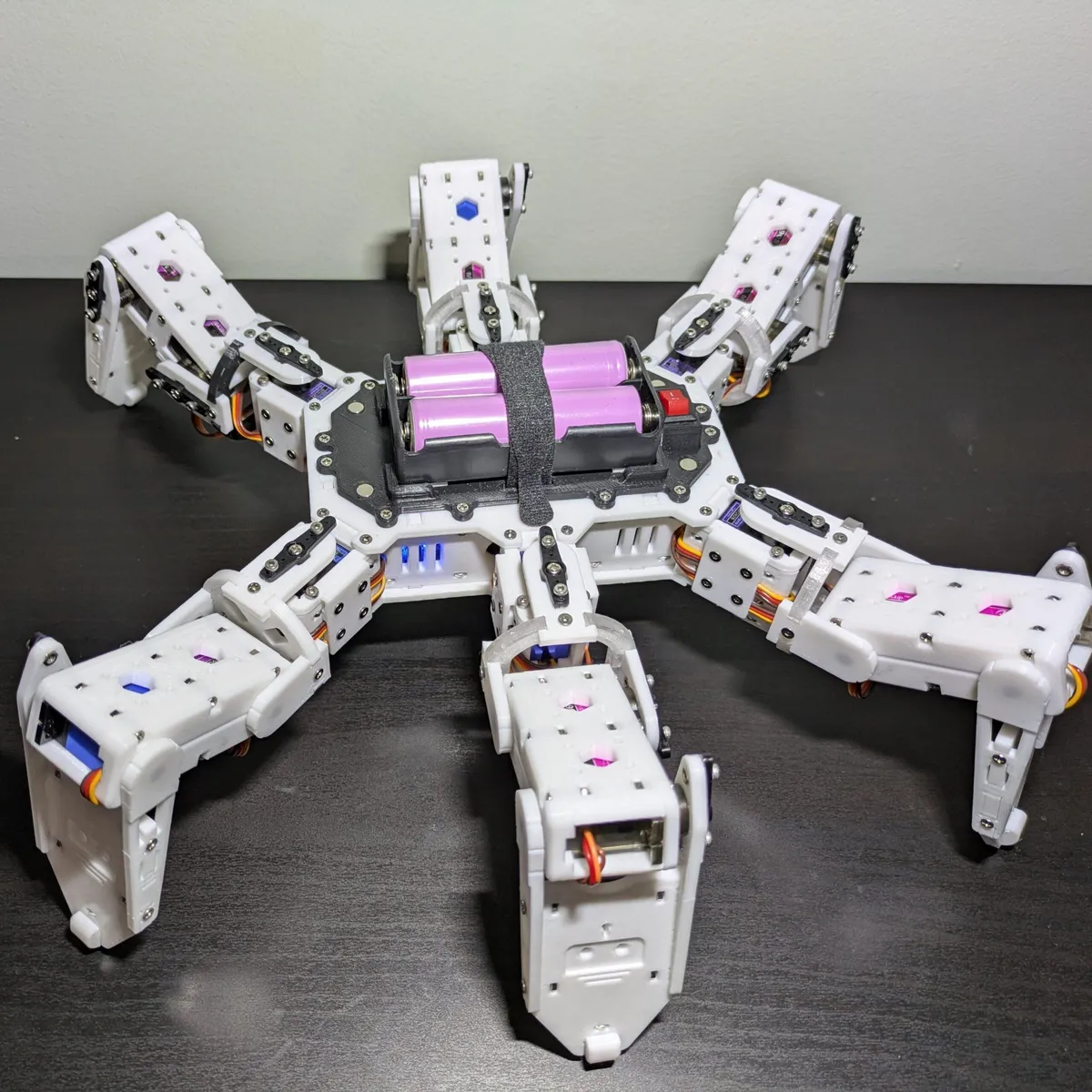
A proof of concept for the leg geometry and multi-directional walking. Physics caught up quickly: standard MG90S micro servos were too weak for the weight and the dynamic loads of walking, and the wiring tangled.
Lesson: servo count doesn't matter if the torque can't carry the chassis.
The Quest for Power
Torque, and the signal to match it
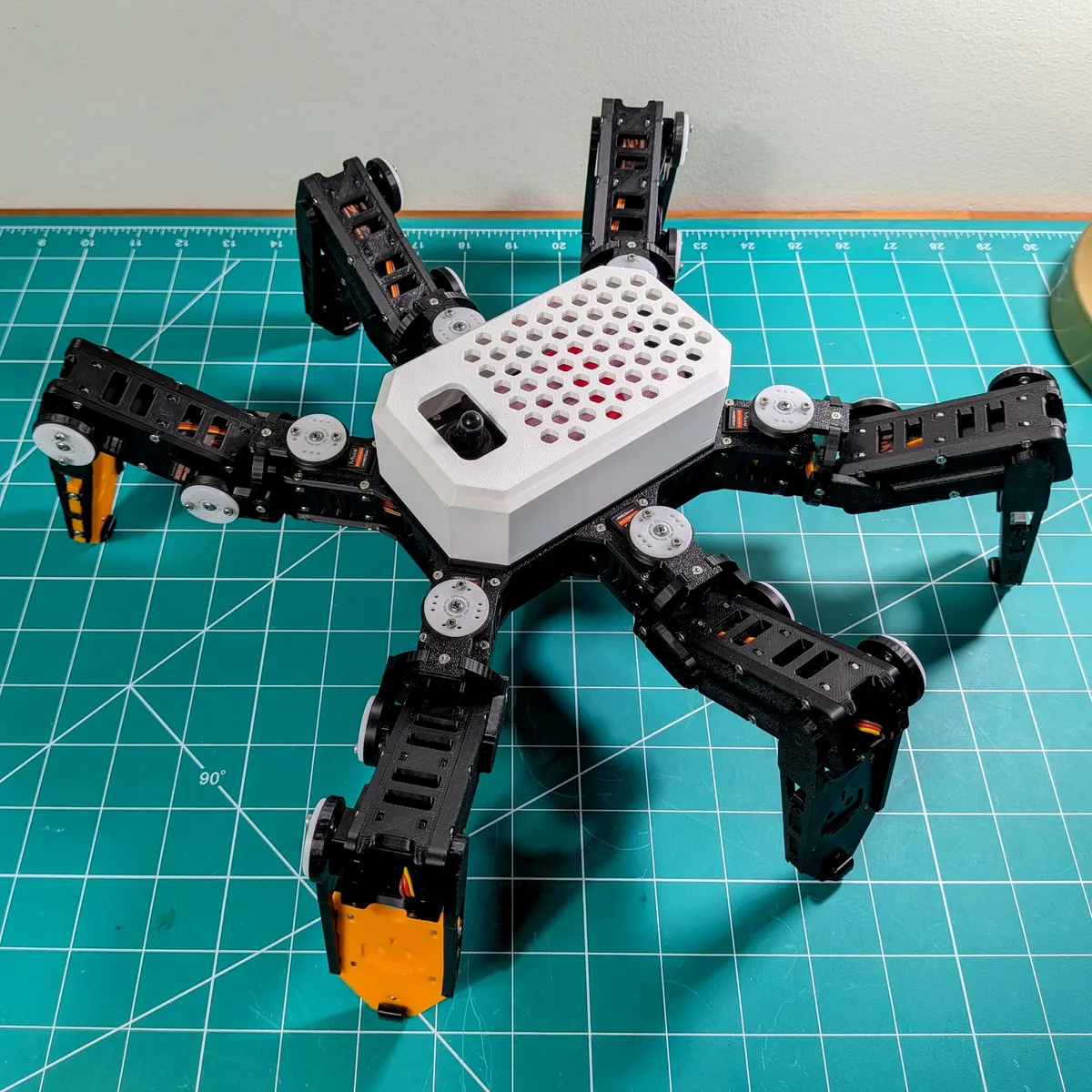
Legs redesigned around beefier 21G digital servos, with an ESP32 for WiFi. Torque alone wasn't the answer: two PCA9685 PWM drivers and a power stage sized for all 18 servos turned the extra strength into a steady gait.
Lesson: torque only pays off when signal precision keeps up with it.
Refinement & Redesign
Form, function and the perfect fit
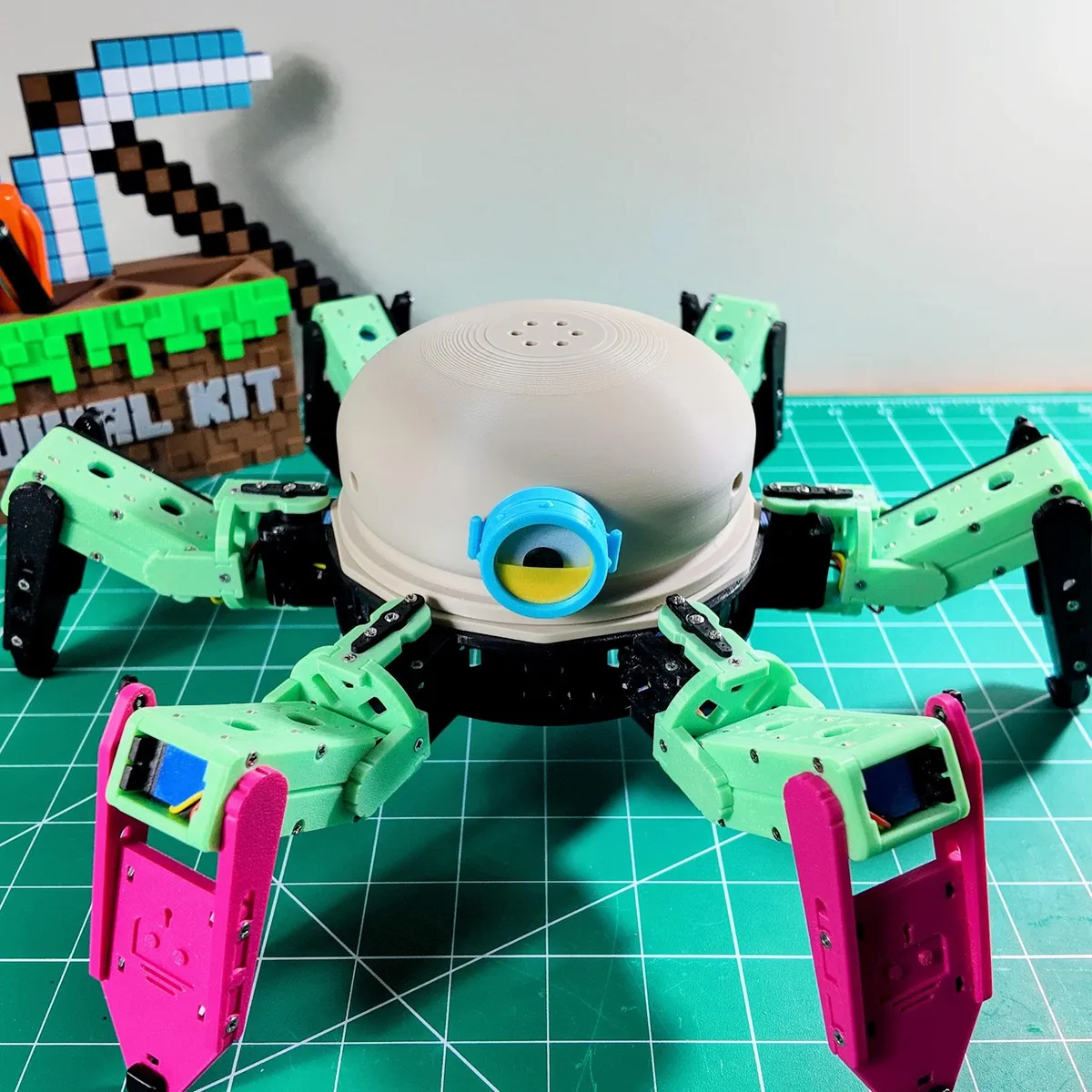
The MG92B is the strongest micro servo that still fits a compact frame, with high torque in a smaller footprint than the 21G. That allowed a tighter, circular body: better symmetry, more leg clearance in every direction, and a friendlier face.
Result: the smallest of the family, with a smooth gait.
Scaling Up
The biggest and strongest
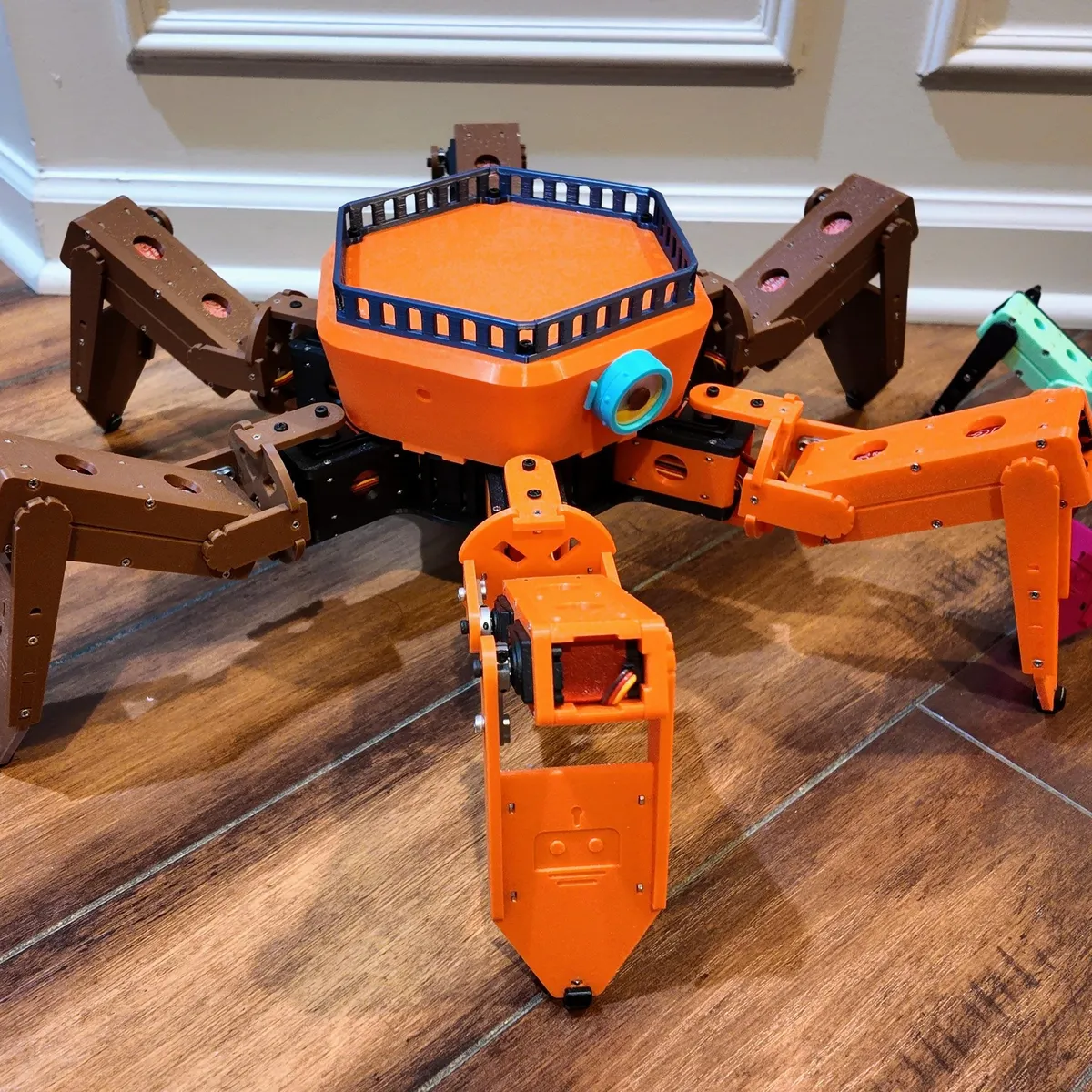
Eighteen 25 kg digital servos replace the micro servos, with longer legs and a wider body to match. Four 18650 cells in 2S2P feed the servos directly at up to 8.4 V through a controller board built for the load.
Result: the same firmware and controls, with torque to spare.
| Nougat | Mochi | Macaroon | |
|---|---|---|---|
| Servos | 18 × 21G digital | 18 × MG92B micro | 18 × 25 kg digital |
| Battery | 2 × 18650 (2S) | 2 × 18650 (2S) | 4 × 18650 (2S2P) |
| Coxa / femur / tibia | 38 / 54 / 97 mm | 36 / 44 / 85 mm | 62 / 76 / 132 mm |
| Gait frame period | 12 ms | 12 ms | 25 ms |
| WiFi network | hexapod_nougat | hexapod | hexapod_macaroon |
| Firmware define | ROBOT_NOUGAT | ROBOT_MOCHI | ROBOT_MACAROON |
Each build guide covers the bill of materials, the printed parts, assembly, wiring, software setup, calibration and troubleshooting. The same guides live in the robots folder of the repo.
One Firmware for Every Robot
ESP32 · Arduino · two PCA9685 drivers
All three robots run one Arduino sketch. What differs between them is data: each robot's leg mounts, link lengths, postures, gait radii and joint limits live in one JSON file. The path tool, a small NumPy gait generator with its own inverse kinematics, turns that file into look-up tables of servo positions for every motion, and the firmware plays them back. Adding a robot is mostly a matter of writing its JSON.
robots/<name>.json: legs, links, postures, gaitsmotion.hPick the robot by leaving one #define ROBOT_* uncommented in robot.h, or skip that step: every release includes a ready-to-open sketch for each robot.
Ways to Drive It
Join the robot's WiFi · then pick a controller
Any browser
The robot serves its own controller at 192.168.4.1, so a phone, tablet or laptop drives it with nothing installed. Hold the dial to walk in eight directions, the grid for body moves and climbing, or use W A S D on a keyboard. Let go and it settles to standby.
Android app
The Hexapod app on Google Play connects to the robot's network and plays every built-in motion from on-screen buttons.
Arcade Remote
A microswitch joystick and five arcade buttons around an ESP32-C6, in a 3D-printed cabinet. It sends the gait speed with every packet.
Hexapod Link
The simulator below: pose the robot joint by joint or by its body, play a gait frame by frame, and send any of it to the real robot. It also calibrates the servos.
Your own code
Everything above speaks a small binary protocol over UDP port 1234. A gait is one 7-byte packet:
# magic, walk forward,
# sequence, 60 % speed
struct.pack("<BBIB",
  0xA5, 1, seq, 60)
The robot describes itself
GET /robot_config returns the robot's name, firmware version, servo range, speed range, command list and full leg geometry, so a client can model any robot in the family without keeping its own copy.
| Magic | Packet | Size | Purpose |
|---|---|---|---|
0xA5 | Motion command | 6 or 7 B | Play a built-in motion, optionally at a set speed; resend to keep moving |
0xA6 | Real-time pose | 44 B | Stream servo positions for all 18 joints, with a per-joint slew limit |
0xA7 | Session control | 6 B | Enter or leave real-time mode, relax the servos, keep alive |
0xA8 | Version query | 5 B | Ask for the firmware version; the only packet the robot answers |
All packets are little-endian and unpadded. The full reference, with byte layouts and Python examples, is in the firmware README.
Hexapod Link
Kinematics simulator · real-robot remote

Hexapod Link answers two questions about a six-legged robot. Given the angle of every joint, what does it look like? And given where the body should be, which joint angles get it there, and is that pose even possible? It draws the robot, its center of gravity and its support polygon in an interactive 3D view, and runs in the browser or as a desktop app.
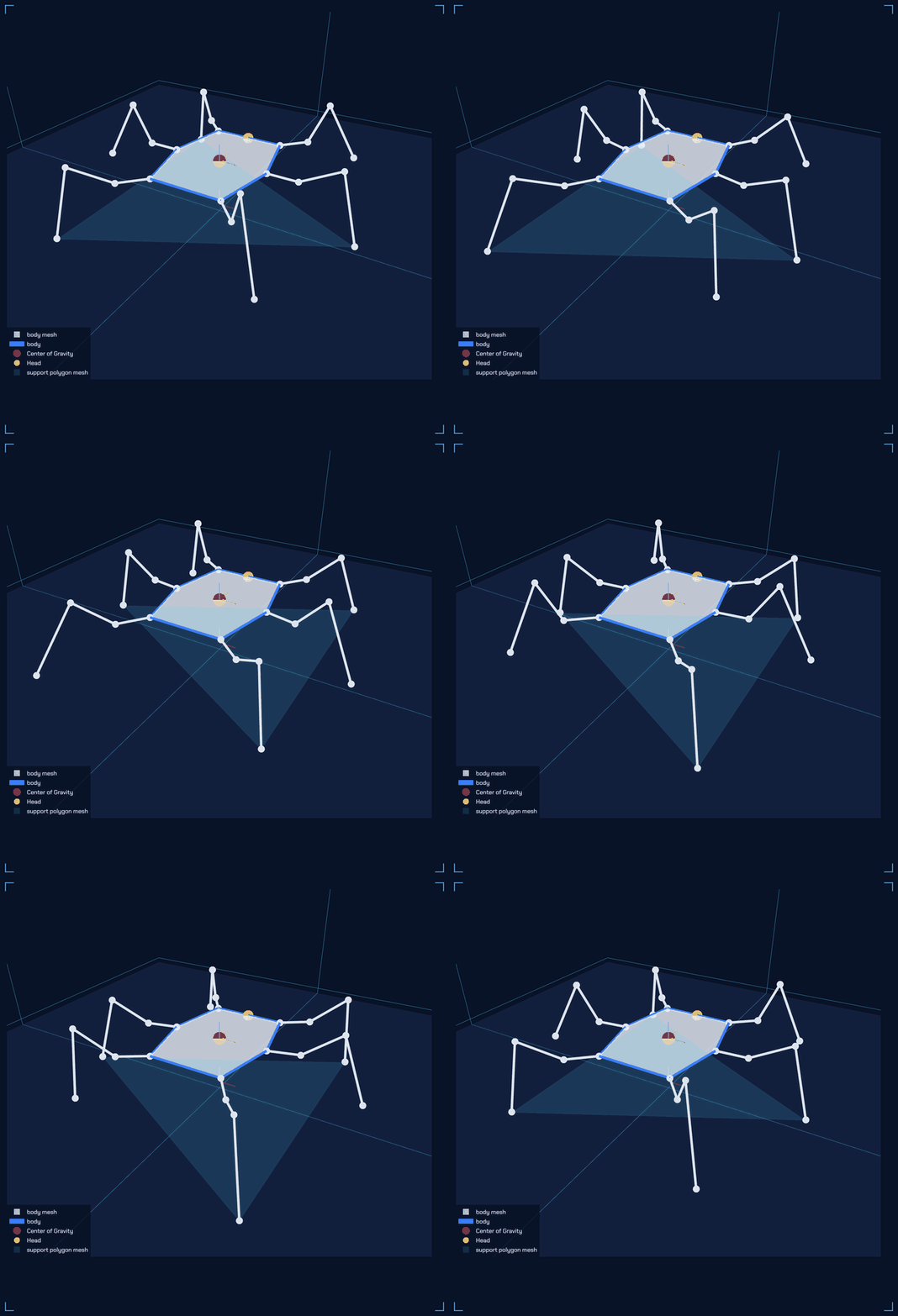
When it connects, the app asks the robot for its config and reshapes the simulated body to match, so what is on screen agrees with the hardware. Nougat, Mochi, Macaroon or a new robot all work without touching the app, and the last config is cached so the robot can still be modeled offline.
Every pose you set can then stream to the robot. Joint angles are clamped to the robot's mechanical limits and converted to servo ticks using each leg's mirroring from that same config, then sent at 100 Hz; the robot slews toward them on its 50 Hz servo loop.
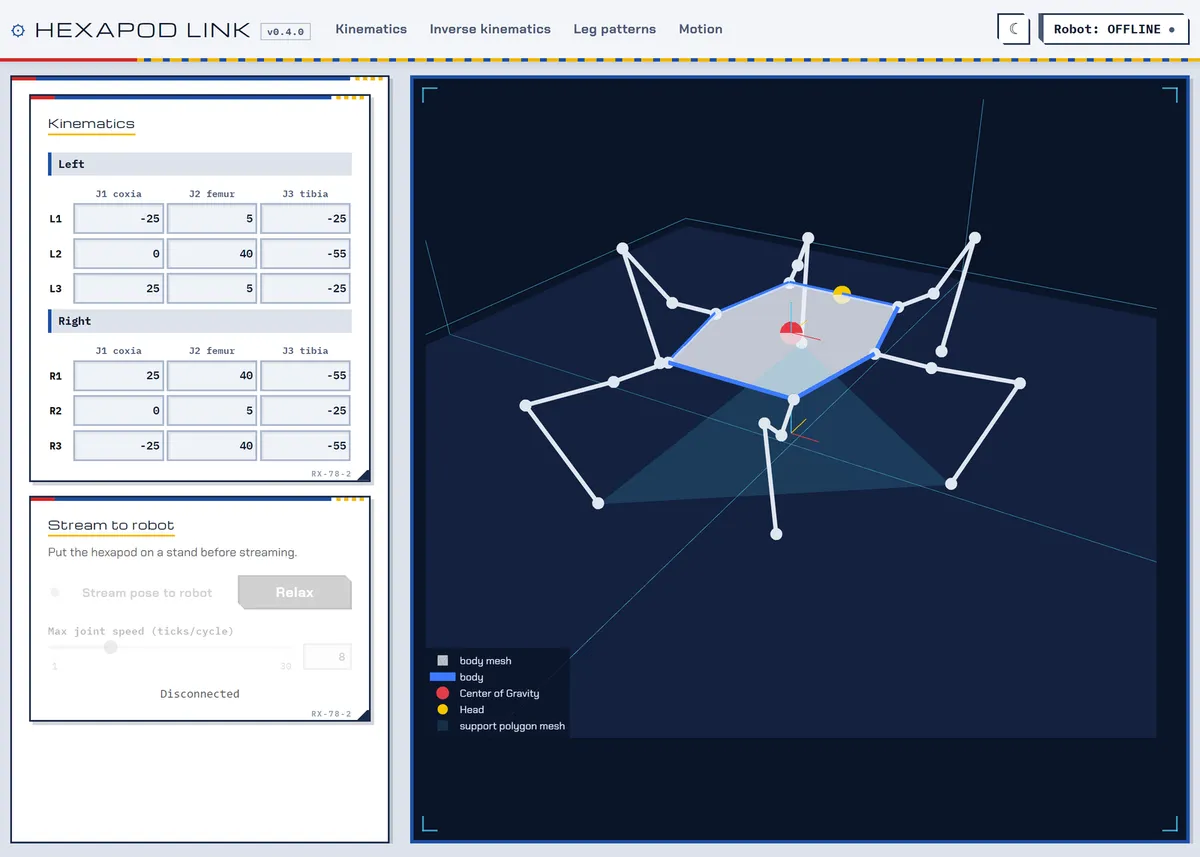
Kinematics
Set all 18 joint angles by hand and watch the body follow.
Streams every pose to the servos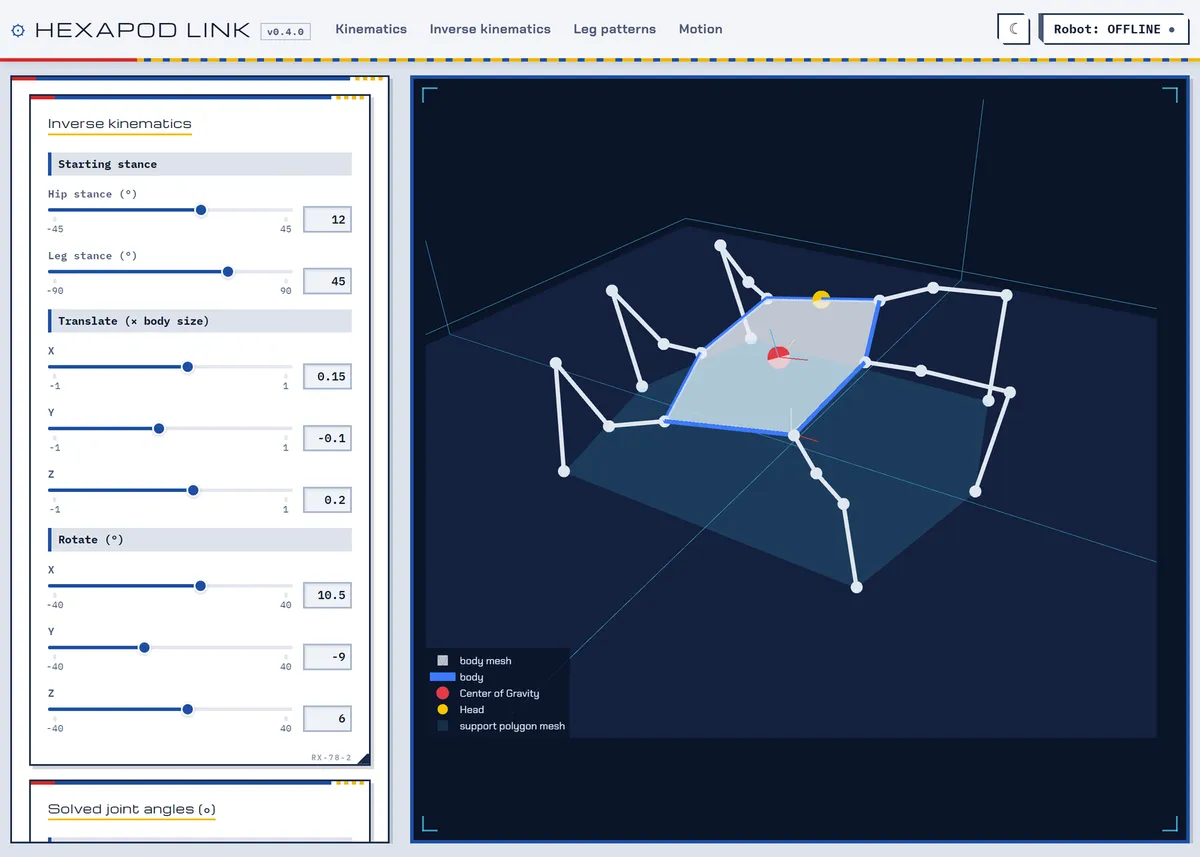
Inverse Kinematics
Translate and rotate the body; the solver finds the joint angles, or says why it can't.
Streams once the pose is reachable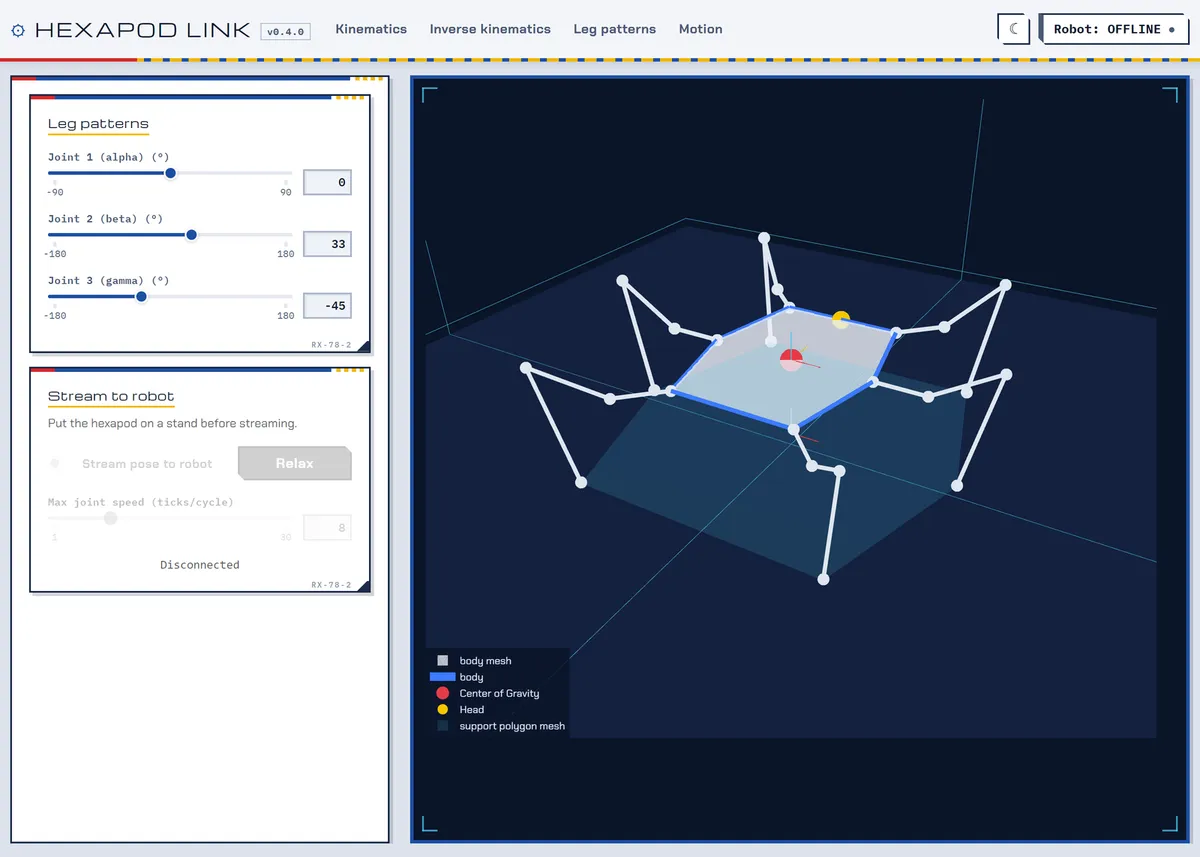
Leg Patterns
Sweep all six legs together through one set of angles.
Streams every pose to the servos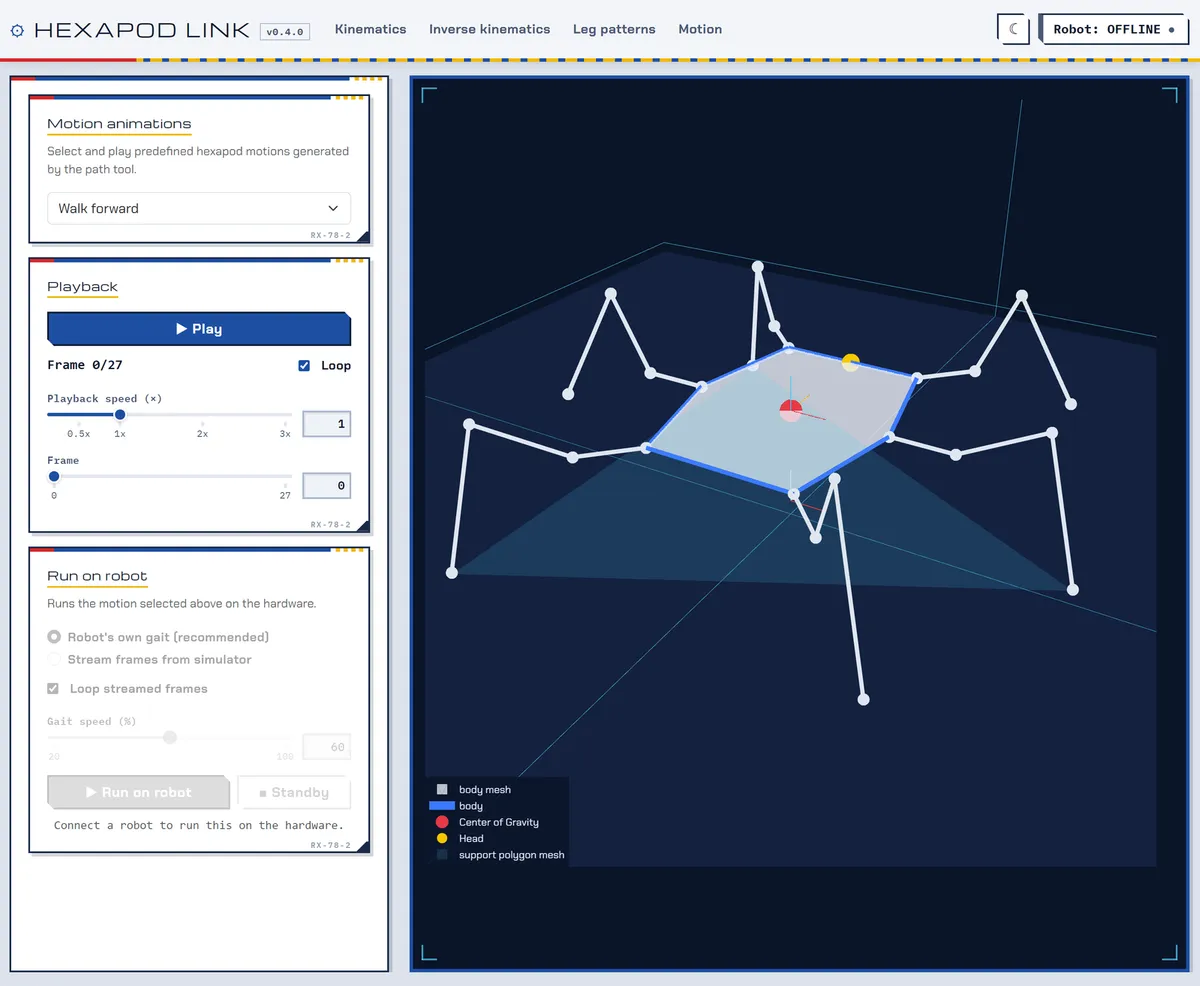
Motion
Play the generated gaits frame by frame and scrub through them, then run the same motion on the robot at 20 to 100 % speed.
Runs the robot's own gait from flashJoin its WiFi
The robot is the access point, so the computer running the app joins it directly. The robot stands up when a client connects.
Connect
Open the ROBOT panel from the status button in the navigation bar and connect to 192.168.4.1. The stream and run controls light up on the pages that use them.
Drive or calibrate
Stream poses, trigger built-in gaits, or open the Calibration page to trim each servo's offset and save it to the robot's flash.
tools/fake_robot.py stands in for the hardware, and the test suite covers the kinematics, the streaming protocol and config reading without a display, a browser or a robot.Design Philosophy
Printable on a hobby printer · repairable by hand
Layer orientation
Print layers line up with the load, spreading stress along their length so walking forces don't split them apart.
Reinforced joints
Leg segments and servo mounts have strengthened connection points that spread loads and avoid stress concentrations.
Balanced frame
The body keeps weight central and wiring short, for stable walking and an even load across all six legs.
Modular assembly
Interlocking parts need little glue, so repairs and upgrades take no special tools.
PLA or PETG
The geometry holds up in standard filaments under repeated dynamic stress.
Full control stack
BOM, wiring diagrams, a gait generator, firmware, a browser controller, an Android app and a simulator, all open source.
Get Started
Build · flash · drive · simulate
1. Build a robot
Follow the guide for Nougat, Mochi or Macaroon: print the parts, assemble the legs and body, and wire the controller board.
2. Flash the firmware
Open software/hexapod_esp32 in the Arduino IDE, pick your robot in robot.h and upload. Or start from your robot's sketch in the latest release.
// robot.h: leave exactly one uncommented
#define ROBOT_MOCHI
3. Calibrate and drive
Join the robot's WiFi (password hexapod_1234) and open http://192.168.4.1/. Level the legs on the Calibrate tab, save, then walk it from the Drive tab.
4. Run Hexapod Link
Python 3.13+. Add --no-window --port 8050 to use a browser instead of the desktop window.
pip install -r requirements-desktop.txt
python hexapod_link.py
python tools/fake_robot.py nougat  # no robot?
Prebuilt Windows and Linux bundles of Hexapod Link (about 130 MB) come out of every build-desktop run. Questions about the robots go to hexapod issues, and about the app to hexapod-link issues.
Archived comments
Comments left on the previous version of this site.
Hello, i have read about your hexapod project and i found it quite interesting and want to build one to help myself learn. But while procuring materials i have failed to understand what type of servo motor you used. I have read it was TowerPro MG92B, but is it a continuous servo motor or standard servo motor?
Would be really grateful if you could reply
It is a standard servo motor
Hi, I was working on building something like this and I’ve noticed the github repo has been deleted. Would you be able to provide access to the instructions perchance?
Here is the new link: https://github.com/rookidroid/hexapod
Hi Zhengyu, this is a really interesting project, and I think I got all I need to complete this hexapod! It’s a sort of puzzle to understand some part of the hardware, but this is also part of the fun! I think i’ll figure out while I build, but if you can guide me where to put the bearings, the pins, and the 6mm 2m screw it will be great! thanks again!
The bearings will be in the holes of “body_base” and “leg_bottom”. The pins go with “joint_bottom” and “foot_bottom”. 6mm M2 screws are used to attach servo horns to “joint_top” and “foot_top”.
Thanks a lot Zhenghy! Everything fit like a glove! I’m still waiting for the battery to arrive but in those days I’ll do the electronics!
I tried to figure out the correct calibration for the leg (part 2servos). I think at 0 it should be all retracted and at maximum all extended., is it right? (i’m using a “CCPM servo costintency master” that it’s a very cheap useful tool for servo testing)
for the body_base servos should they stay at center in neutral position? I’ll send you picture of the make on thingiverse!
So for the calibration position, all the servos should be at 90 deg position, and the legs should be horizontal and the feet are perpendicular to the ground. I will make a photo of this later.
Hi Zhengyu. I was building your hexapod project and almost done with a liitle modification. I follow your instruction but i didn’t see any diagram showing the position of each servo connecting to the PCA9685. Can u share ? Also is there a coding for the joystick controller, i can’t find it on your github location you mention. Thank you.
The connection is actually in the Arduino code: https://github.com/rookidroid/hexapod/blob/v1/software/hexapod_arduino/config.h
At line 67-72, you can adjust it based on your own connections.
The remote controller repo is here: https://github.com/rookidroid/remote-arcade
Hi . I’m building your hexapod and following your instruction. But do you include the coding for the joystick remote control ? I can’t find it on the github. Can you share it. Also there isn’t any diagram for connecting the servo’s to the PCA9685. Can anyone help ? Thank you.
Please check the GitHub repo: https://github.com/rookidroid/hexapod
The remote controller repo is here: https://github.com/rookidroid/remote-arcade
I am also working on a new version of the Hexapod with several improvements. I will update the repo soon.