
Hexapod Link is a hexapod robot simulator with forward and inverse kinematics and gait animation, and a remote for the real thing: connect it to a RookiDroid hexapod and the same controls drive the physical robot over WiFi, from a single joint up to a whole gait. It runs in the browser or as a desktop app.
Overview
A simulator that talks to the hardware
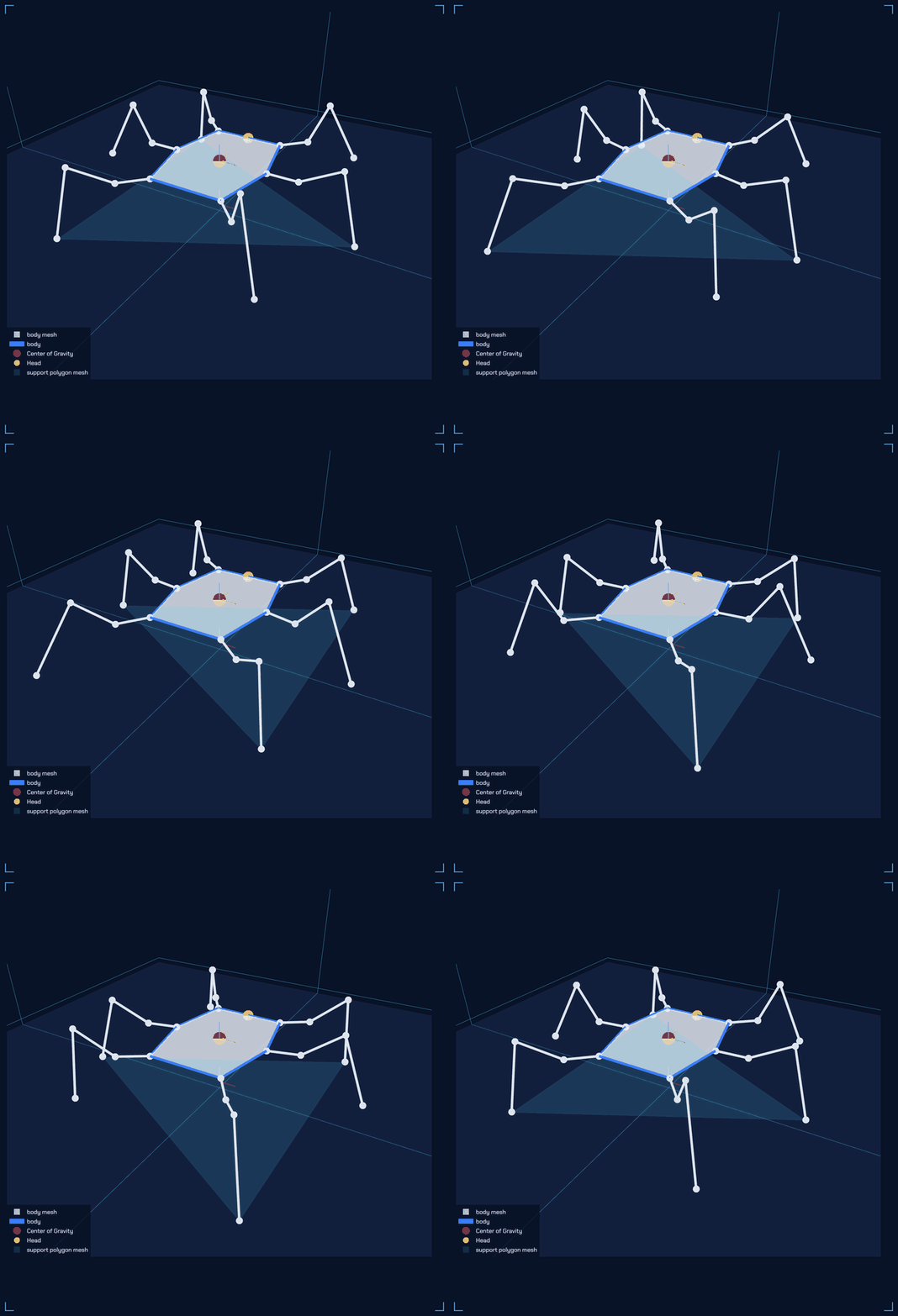
The simulator answers two questions about a six-legged robot. Given the angle of every joint, what does the robot look like? And given where the body should be, what joint angles get it there, and is that pose even possible? It is built from first principles with NumPy, and draws the robot, its center of gravity and its support polygon in an interactive 3D view.
Hexapod Link adds the hardware side. The poses you set in the simulator stream to an ESP32 hexapod, and the robot's own built-in gaits can be triggered from the same window. Each robot describes itself when the app connects, so Nougat, Mochi, Macaroon, or a new member of the family all work without touching the app.
Four Ways to Pose It
Simulate first · then drive the robot
Kinematics
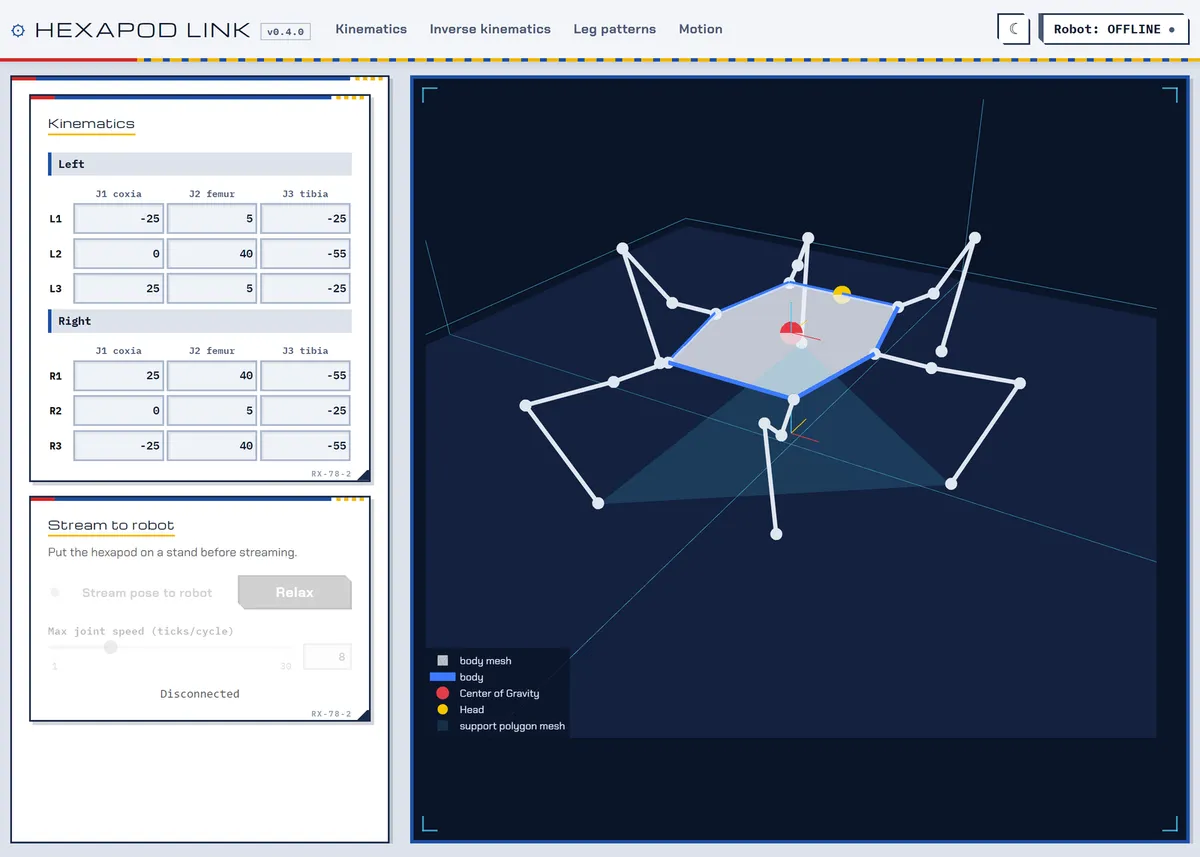
Set all 18 joint angles by hand and watch the body follow.
Streams every pose to the servos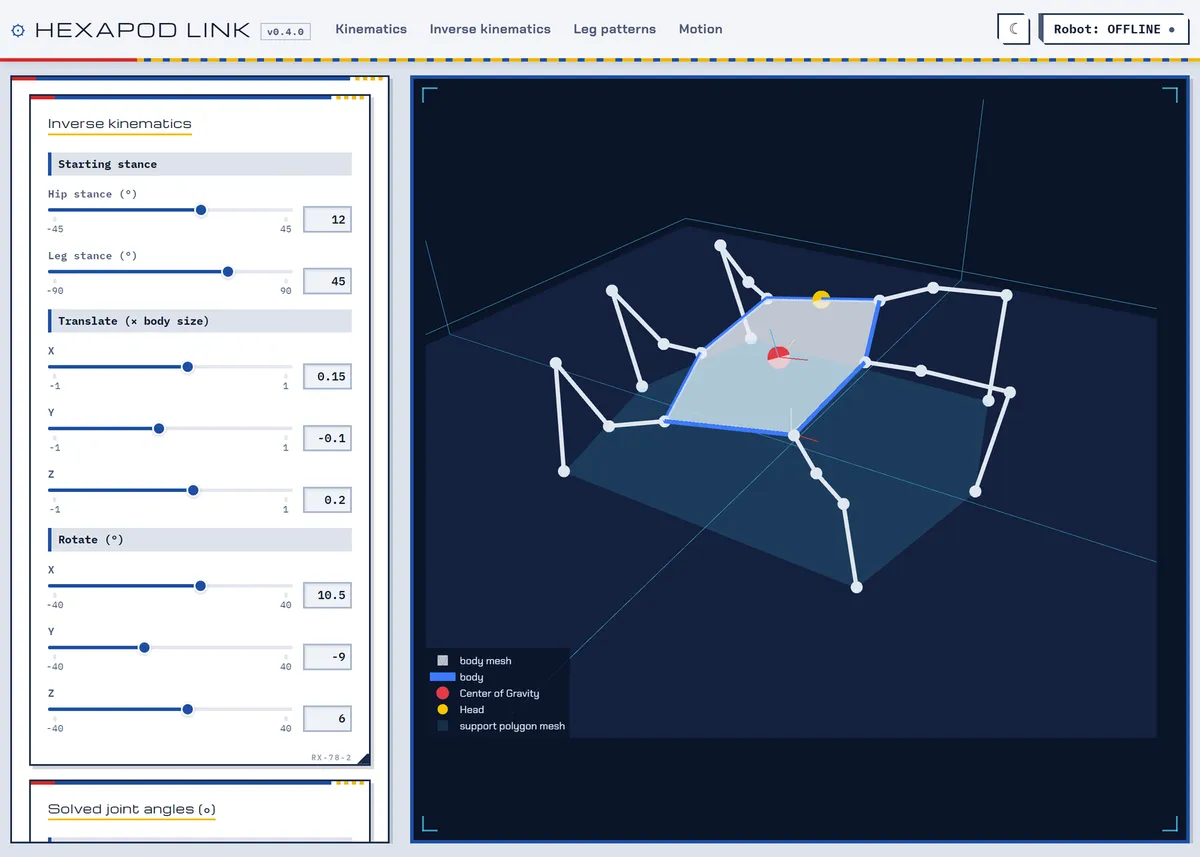
Inverse Kinematics
Translate and rotate the body; the solver finds the joint angles, or says why it can't.
Streams once the pose is reachable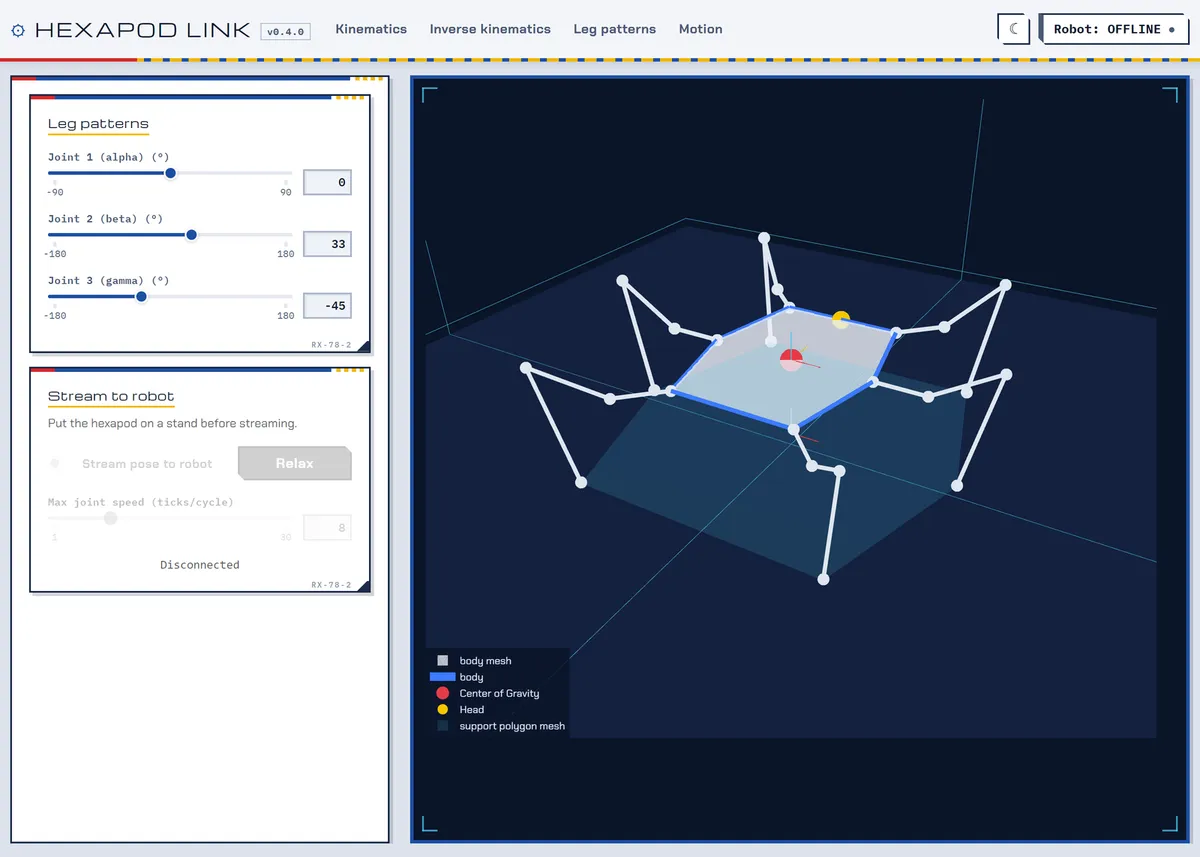
Leg Patterns
Sweep all six legs together through one set of angles.
Streams every pose to the servos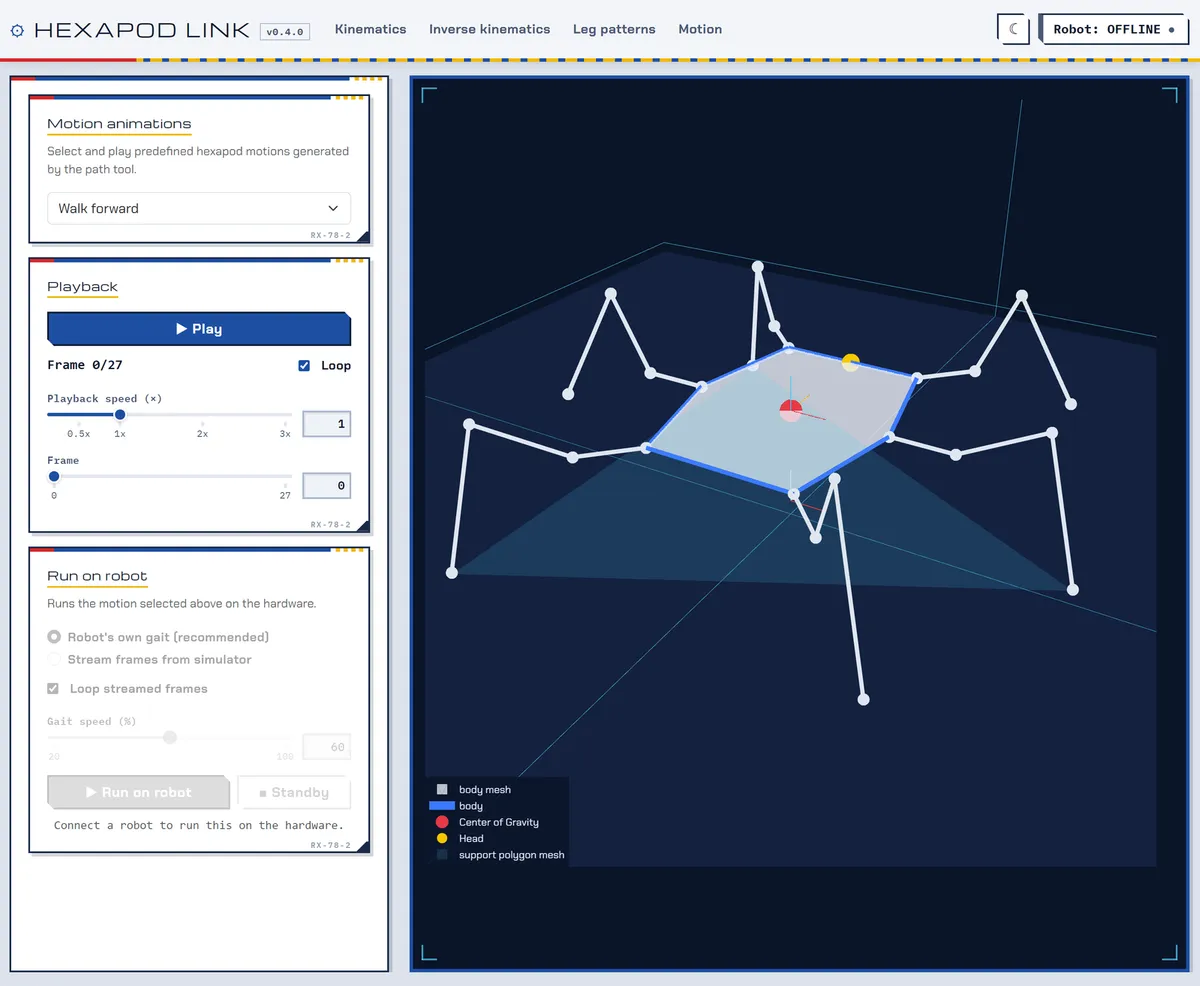
Motion
Play the generated gaits frame by frame and scrub through them, then run the same motion on the robot.
Runs the robot's own gait from flashDriving a Real Hexapod
Flash · join · connect
Flash the firmware
Use the ESP32 firmware from the hexapod repo. It needs to serve its own config at GET /robot_config.
Join its WiFi
The robot is the access point, so the computer running the app joins it directly. The robot stands up when a client connects.
Connect
Open the ROBOT panel from the status button in the navigation bar and connect to 192.168.4.1. The stream and run controls light up on the pages that use them.
How It Works
Plotly Dash front end · NumPy solvers · WiFi link
Legs and joints are numbered the way the firmware numbers them, so a leg picked out in the 3D plot is the leg the calibration page calls by that name. Only the angle convention differs, and the robot link converts it using each leg's mirroring from the robot's config. A fake robot in tools/fake_robot.py stands in for the hardware, and the test suite covers the kinematics, the streaming protocol and config reading without a display, a browser or a robot.
Get Started
Python 3.13+ · browser or desktop window
In the browser
Start the server and open the printed URL.
pip install -r requirements.txt
python hexapod_link.py --no-window --port 8050
As a desktop app
A native window via pywebview, with no browser chrome. Works offline.
pip install -r requirements-desktop.txt
python hexapod_link.py
Without a robot
Run the stand-in robot, then connect to 127.0.0.1:8080.
python tools/fake_robot.py nougatPrebuilt Windows and Linux bundles (about 130 MB) come out of every build-desktop run, or build your own with pyinstaller hexapod.spec from a minimal virtual environment.