

A Flask/Dash-based web application for sensor data visualization and analysis, featuring multi-level caching, interactive controls, and a WebWorker-based buffering system for smooth performance on large datasets.
Screenshots
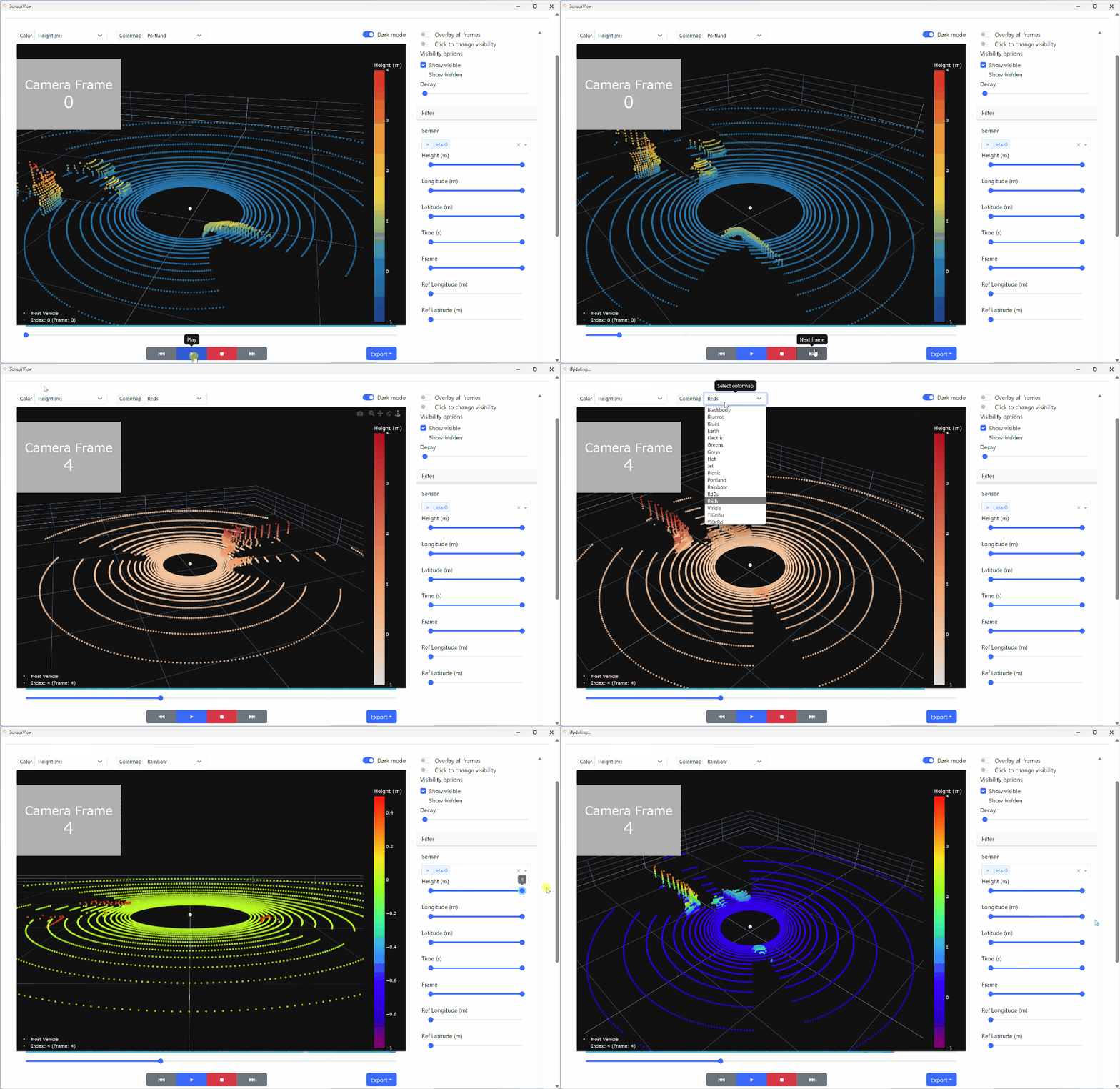
3D Visualization and Filtering
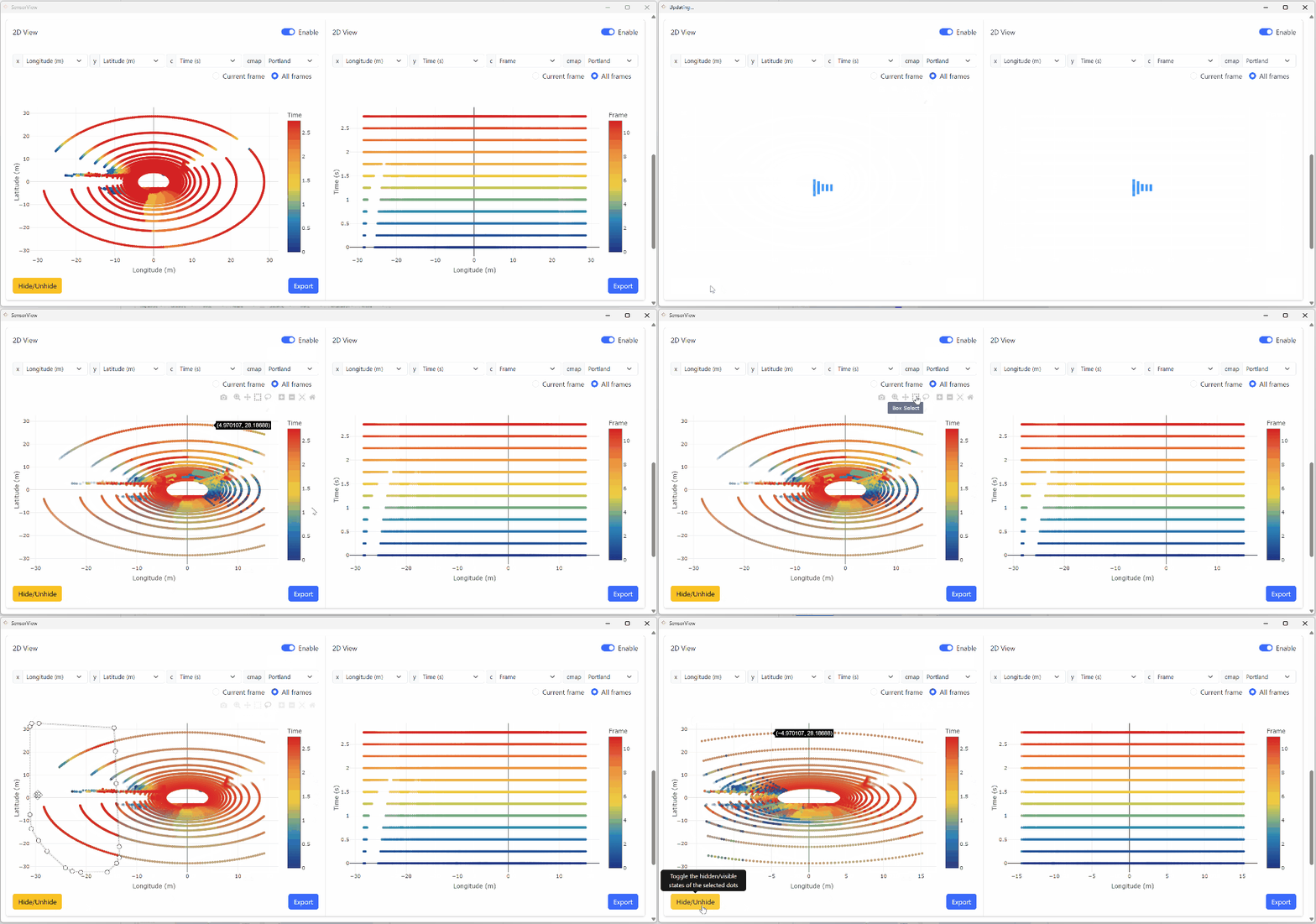
2D Visualization and Filtering
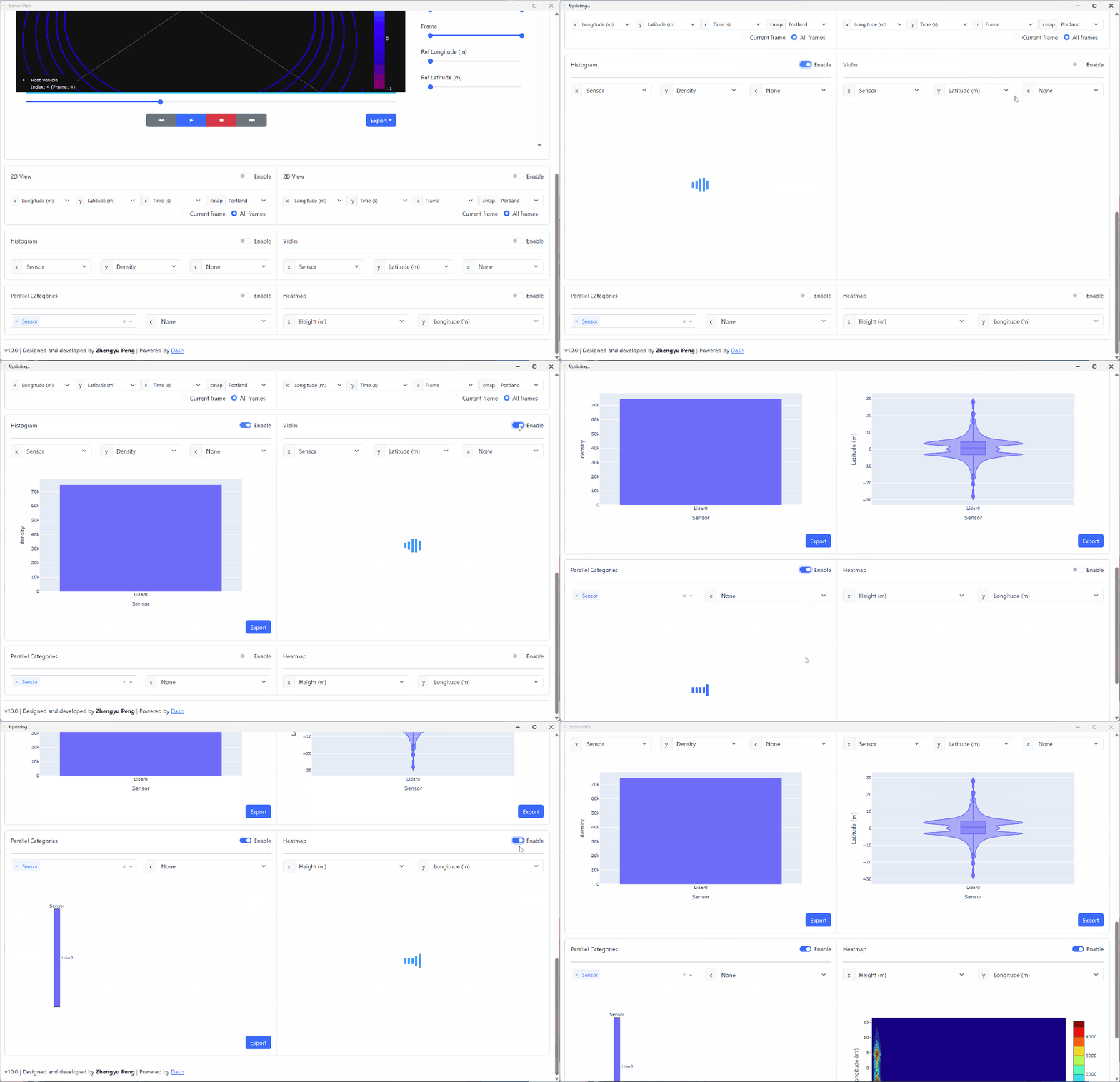
Statistical Visualization
Features
Core Visualization Modes
- 3D Scatter Plots – interactive 3D visualization with color mapping, filtering, and temporal decay effects
- 2D Scatter Plots – dual-panel left/right views with synchronized data filtering
- Heatmap – correlation analysis across numerical columns
- Histogram – distribution analysis with customizable binning
- Parallel Categories (parcats) – multi-dimensional categorical exploration
- Violin Plot – distribution and density visualization
Advanced Features
- Efficient Data Processing – WebWorker + IndexedDB buffering pipeline for smooth frame playback
- Multiple File Support – load and compare multiple datasets simultaneously
- Session Management – isolated server-side data sessions for concurrent users
- Frame Navigation & Playback – slider, play/stop controls, and configurable decay trails
- Dark / Light Mode – theme switching for different viewing preferences
- Configuration Persistence – JSON-based settings saved between sessions
- Test Case Management – organised directory-based data file selection
Dependencies
Python Modules
- dash, dash-bootstrap-components, dash-daq – web framework and interactive UI components
- polars, pandas, numpy, pyarrow – data manipulation and analysis
- diskcache – server-side FanoutCache for session and frame data
- orjson – high-performance JSON serialization for API responses
- kaleido – static image export for plots
- flaskwebgui – desktop application wrapper
- waitress – production WSGI server (optional)
Usage
Data Preparation
Save data as .pkl (pickle) or .csv files under the
./data directory. Each test case needs an info.json
that describes the column mappings.
Directory Structure
./data/
├── Example/
│   ├── info.json          # Required: column specifications
│   ├── sensor_data.csv
│   └── sensor_data.pkl
└── Another_Test/
    ├── info.json
    └── dataset.pkl
Configuration File (info.json)
{
  "slider": "Frame",
  "x_3d": "Latitude",
  "y_3d": "Longitude",
  "z_3d": "Height",
  "x_ref": "Host_Latitude",
  "y_ref": "Host_Longitude",
  "z_ref": "None",
  "keys": {
    "Height":    { "description": "Height (m)",       "decimal": 2, "type": "numerical" },
    "Longitude": { "description": "Longitude (m)",    "decimal": 2, "type": "numerical" },
    "Latitude":  { "description": "Latitude (m)",     "decimal": 2, "type": "numerical" },
    "Time":      { "description": "Time (s)",         "decimal": 2, "type": "numerical" },
    "Sensor":    { "description": "Sensor",                         "type": "categorical" },
    "Frame":     { "description": "Frame",            "decimal": 0, "type": "numerical" }
  }
}
Key fields:
slider– column used for the frame navigation sliderx_3d,y_3d,z_3d– default 3D axis columnsx_ref,y_ref,z_ref– reference point columns; set to"None"to disable a reference axiskeys– per-column metadata:description,decimalplaces, andtype("numerical"or"categorical")
Running the Application
Desktop app (default):
python app.py
Launches a desktop window via FlaskWebGUI on port 8521.
Development mode – set DEBUG = True in app.py:
python app.py
# Open http://0.0.0.0:8050/
Production server – uncomment the Waitress lines in app.py:
from waitress import serve
serve(app.server, listen="*:8000")
Dear Dr. Peng,
I will like to test this software.
Kind regards,
N. Katte
Hi, Nkorni,
I haven’t had time put a detail documentation on this, but this is an open source project and you can find the source code here: https://github.com/rookiepeng/sensorview
You can also find the docker build here: https://hub.docker.com/repository/docker/rookiepeng/sensorview