
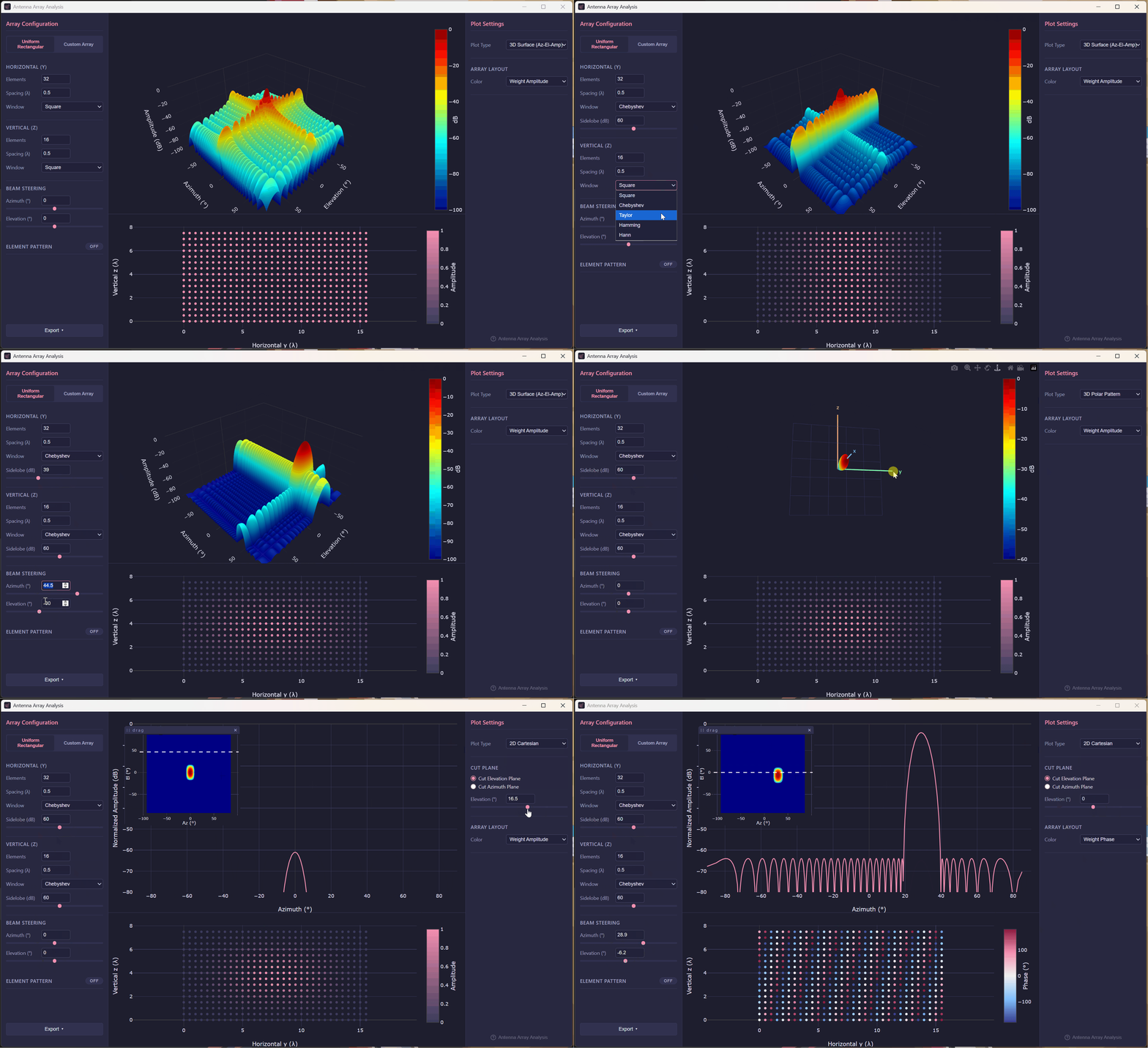
Antenna Array Analysis is a cross-platform desktop GUI tool for visualizing and analyzing antenna array radiation patterns. It is built with Electron and TypeScript for the frontend, and uses a Python backend (powered by the arraybeam library) for all pattern computations.
Background
In my work I often need to evaluate different antenna array configurations — varying element counts, spacings, window functions, beam steering angles — and compare how each choice affects the radiation pattern. For a while I was doing this by writing one-off Python scripts, running them, and piecing together plots. It worked, but it was slow and tedious every time I wanted to tweak a parameter.
I wanted something interactive: change a slider, see the pattern update instantly. So I built this tool for myself. Over time it grew from a simple linear-array calculator into a more complete application that handles uniform rectangular arrays, arbitrary custom arrays, per-element patterns, and several plot modes. The goal has always been the same — make it as easy as possible to explore array designs without having to rewrite code for every experiment.
Features
Two array modes:
- Uniform Rectangular — configure horizontal and vertical axes independently: element count (up to 1024), element spacing (in wavelengths), and amplitude window function.
- Custom Array — define arbitrary element positions (y, z in λ), amplitude, and phase per element. Elements can be entered manually or imported from a CSV file.
Window functions (applied per axis): Square, Chebyshev, Taylor, Hamming, Hann. Chebyshev and Taylor windows expose additional controls for sidelobe level (dB) and number of adjacent sidelobes.
Beam steering: steer the main beam in azimuth and elevation from −90° to +90°.
Element pattern: optionally apply a per-element radiation pattern defined as angle/gain (dB) lookup tables for the azimuth and/or elevation planes. Tables can be imported from CSV.
Plot types:
- 3D Surface (Az–El–Amplitude)
- 3D Polar Pattern
- 2D Cartesian (selectable cut plane)
- 2D Polar (selectable cut plane, configurable dynamic range)
Export: save the array configuration and computed pattern data to CSV.
Usage
Download the latest release for your platform from the releases page:
- Windows — run the Squirrel installer (
.exe) - macOS — open the
.dmgand drag the app to Applications - Linux — run the
.AppImage
No Python installation is required — the Python computation engine is bundled inside the package.
Source Code
The full source code is available on GitHub:
https://github.com/rookiepeng/antenna-array-analysis
Tech stack:
- Electron — cross-platform desktop shell
- TypeScript — UI and IPC logic
- Plotly.js — interactive plotting
- Python + arraybeam — pattern computation backend
- PyInstaller — bundles the Python backend into a self-contained executable
Feedback
Bug reports and feature requests are welcome via the GitHub issue tracker.